Short answer
For a school’s wireless network to work properly, instead of a few powerful devices placed in the corridor, you need ceiling-mounted access points planned according to the number of classrooms and powered by cable. Teacher, student, administration and guest networks should be separated from each other, and the content students access should be filtered. Planning is done from the building’s sketch plan and the number of devices that will connect at the same time.
Why does the school network cause problems so often?
School buildings are difficult structures for wireless networks. Thick reinforced-concrete walls, long corridors, dozens of look-alike classrooms and hundreds of phones trying to connect at the same time during recess are all in the same building. In most schools, the wireless network grows piece by piece over the years: a modem in one teachers’ room, a range extender in a corridor, a different brand of device in a laboratory. The result is a network that nobody clearly manages and whose password everyone knows.
The real source of the problem is usually not coverage but capacity. A single powerful device placed in the corridor can get signal to the classrooms, but when thirty tablets in one classroom start a video at the same time, the device cannot carry that load. The interactive board, the teacher’s computer and the student devices line up on the same channel.
Where should access points be placed?
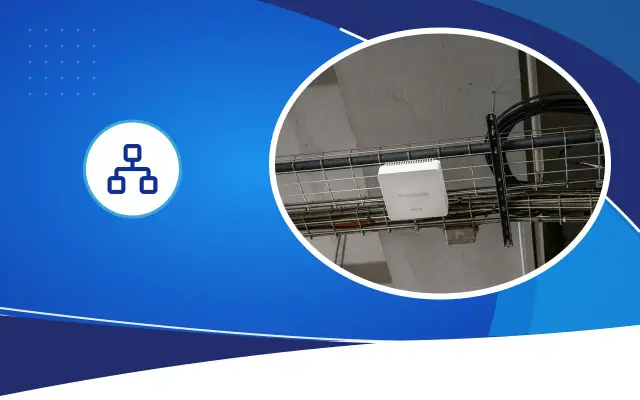
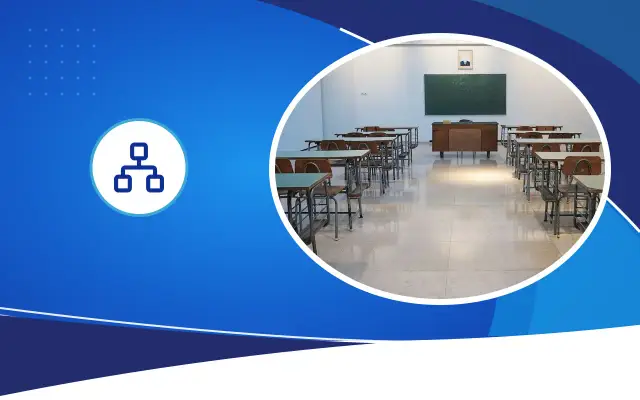
The healthiest layout in schools is to place access points inside the classrooms, or on the ceiling at one for every two classrooms. Devices placed on the corridor ceiling try to reach the classrooms from behind walls and doors. The signal arrives, but the speed drops.
Each access point is fed by a network cable coming from the cabinet and gets its power through PoE over the same cable. This way there is no need to run a separate outlet to the ceiling. Crowded areas such as the conference hall, gym, library and canteen are handled separately; in these, more than one access point may be needed for a single area.
All access points should be controlled from a single management panel. This way the IT officer or the support company can see remotely how many devices are connected in which classroom and which device has failed.
Expert note: Before starting planning, draw the school’s sketch plan and write down how many devices will connect at the same time in each space. The crowd map, not the coverage map, gives the right result.
Separate the teacher, student and guest networks
A single network with a single password is like putting all of the school’s devices in the same room. A harmful app on a student’s phone can reach the administration’s computer or the camera recorder. That is why the network should be divided into parts like the ones below. The separation is done over the same cables and the same access points, using virtual networks called VLANs; you do not need to buy separate devices for each network.
- Administration network: computers of the deputy principals, secretariat and accounting; connected only by cable or with a certificate.
- Teacher network: teachers’ computers and interactive boards.
- Student network: a network with content filtering applied and limited bandwidth.
- Guest network: a separate network opened for a limited time for parent meetings and events.
- Security network: cameras, recorder, bell and announcement system; completely separate from the other networks.
- School sketch plan and number of classrooms drawn up
- Device load of each space written down
- Access points planned inside classrooms
- Access points powered by PoE
- Administration, teacher and student networks separated
- Content filter on the student network
- Cameras on a separate network
- Cabinets locked and ventilated
Content filtering and logging
On the network students use, harmful and age-inappropriate content is expected to be blocked. This is done with a firewall or filtering service at the point where the network goes out to the internet. Trying to install a filter on each tablet one by one is not sustainable.
The internet use rules of the provincial and district directorate of national education that the school belongs to, and existing infrastructure projects, may differ from school to school. Before setting up a new structure, you need to find out under what scope the existing line and devices were installed. Systems that contain the personal data of students and staff fall under the Personal Data Protection Law No. 6698; it is right to get legal advice on keeping and retaining access logs.
Take peak hours into account
A school network’s load fluctuates during the day. In the first class of the morning, teachers’ computers and interactive boards all start downloading updates at the same time. At recess, hundreds of student phones in the corridor try to connect to the network at once. At a parent meeting, hundreds of people come into the conference hall. The network should be planned for these moments, not for the average day.
A few settings manage this load. Setting a per-user speed limit on the student and guest networks prevents a single phone watching video from slowing down the whole class’s connection. Moving updates of interactive boards and computers outside class hours reduces the morning pile-up. Opening the guest network only on event days and then closing it protects both security and performance.
These settings can be made easily only in a centrally managed system. In a school where you have to connect to each access point one by one to change settings, these jobs don’t get done and the network falls apart over time.
Cable infrastructure and cabinet
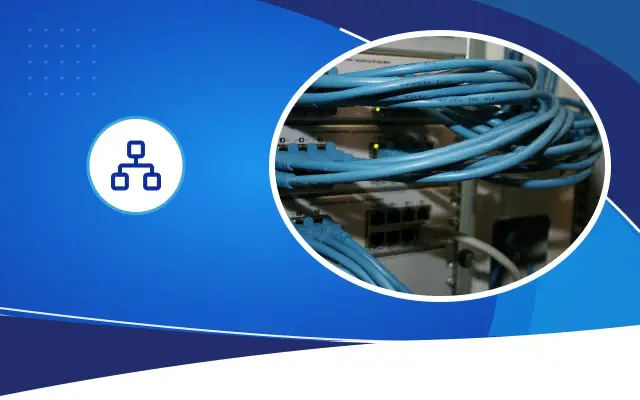
A wireless network is only as strong as the wired infrastructure behind it. A cabinet on each floor or in each wing, a fiber or Cat6A backbone between cabinets, and Cat6 lines to the classrooms are the skeleton of a solid school network. In old school buildings, finding a cable route is hard; a cable tray or conduit is used along the corridor ceiling.
Cabinets must be locked, ventilated and in places students cannot reach. In schools that stay closed over the summer break in Şanlıurfa, the temperature inside the cabinet rises; in cabinets without ventilation, switch failure shows up in early September.
Where should you start if the budget is limited?
School budgets are often not enough to renew the whole building at once. In that case, it makes sense to start with the places that get the most complaints and proceed in stages. First the cabinet and backbone are sorted out, then the teachers’ room and administration, then the classrooms are handled floor by floor. What matters is choosing devices compatible with the same management system from day one; that way the access points added each year join the existing network.
Desa Bilişim has installed camera, bell, announcement and network systems in many schools in Şanlıurfa. If you share your school’s sketch plan and number of classrooms, after an on-site review we can prepare a phased plan and a written quote.
Frequently asked
Is one access point per classroom a must?
It is not a must in every school. If classes are taught with tablets or computers, one device per classroom is right. If only the teacher’s computer and an interactive board are connected, one device for every two classrooms may be enough. The decision is made according to the device load.
Should students be given the Wi-Fi password?
It depends on the school’s policy. If they will be given access, students should be connected to a separate, filtered and speed-limited network. The teacher network’s password should not be shared with students and should be changed at the start of each term.
Does the network get better without replacing the existing devices?
Sometimes yes. Channel settings, device locations and separating the networks can by themselves bring a noticeable improvement. If the devices are very old or home-type models, you need to move to centrally managed access points.
Let’s plan your school’s network classroom by classroom
Share the sketch plan and the number of classrooms, and we will prepare a phased network plan.