Short answer
Wi-Fi not reaching some rooms at home is mostly caused by the modem sitting in a corner of the house, by concrete and brick walls, or by the distance between floors. In single-floor homes with many walls, a mesh system, and in homes where cable can be run, ceiling-type access points fed by cable give the most stable result. A range extender is a cheap interim solution but usually lowers the speed.
Why does Wi-Fi not reach some rooms?
The wireless signal weakens as it passes through each wall. Reinforced concrete shear walls, ceramic tiles in the bathroom and kitchen, mirrors, the fridge and steel doors are the obstacles that block the signal most. In most homes, the modem is plugged in where the internet line enters, that is, a socket at the entrance or in a corner of the living room. When that is the case, the bedroom at the other end of the house is two or three walls away.
The second reason is frequency. Modems broadcast on two bands: 2.4 GHz travels far but is slow and easily overlaps with neighboring networks. 5 GHz is fast but passes through walls with more difficulty. A phone connects to 5 GHz in the living room and works fast, drops to 2.4 GHz in the bedroom, and video starts to stutter.
The third reason is the modem itself. The modems provided by service providers are often single-antenna, entry-level devices. In a crowded apartment building, they cannot broadcast strongly enough among dozens of neighboring networks.
First try the fixes that cost nothing
Checking a few things before buying a new device can solve part of the problem. Take the modem out of the cabinet, from behind the TV unit, or off the floor. Even putting it on an open shelf at eye level makes a difference.
- Move the modem to a point closer to the middle of the home; if the line needs extending, consult your service provider.
- Check the channel setting in the modem's interface; on 2.4 GHz, channels 1, 6 and 11 do not overlap with each other.
- Connect fixed devices such as smart TVs and game consoles by cable; leave the wireless network to the phones.
- Update the modem's software, and restart it if it has not been switched off for a long time.
- When measuring speed, run the same test next to the modem and in the problem room; the difference is in the wireless network, not the internet line.
Expert note: Run the speed test next to the modem with a cable. If the speed is low there too, the problem is the internet line, not the Wi-Fi inside the home, and you need to call your service provider.
Range extender: when is it enough, and when not?
A range extender (repeater) is a small device that picks up the modem's signal and rebroadcasts it. It plugs into a socket and setup takes a few minutes. It can work for a weak signal in a single room.
Its problem is this: the device listens and broadcasts on the same channel, so the speed it passes on stays below what it receives from the modem. On top of that, most models create a separate network name, and the phone stays stuck to the old network as it moves from room to room. The extender needs to be placed between the modem and the problem room, at a point where the signal is still good; placing it right in the problem room does not work.
What is a mesh system, and who is it suitable for?
Mesh means two or more units placed at different points in the home working as a single network. There is one network name and one password. As your phone moves from the living room to the bedroom, it connects to the nearest unit by itself.
In homes where running cable is hard, that are already plastered, rented or freshly painted, mesh is the most practical solution. Since the units can connect to each other wirelessly, no wall drilling is needed. In better models, a separate band is reserved for communication between units; this reduces the speed loss.
Mesh has its limits too. If you place the units too far from each other or on two sides of a thick shear wall, the link between them weakens and the whole network slows down. If you can run cable between the units, feeding the mesh by cable (ethernet backhaul) gives the best result.
Wired access point: the most stable solution
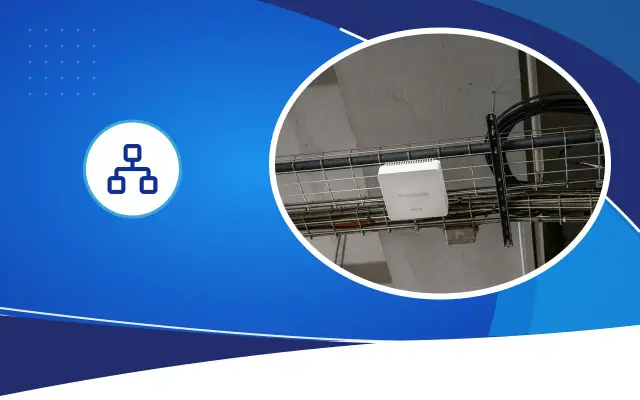
An access point is a device that connects to the internet by cable and broadcasts wirelessly. Models mounted on the ceiling or wall deliver the signal into the room from above, without obstacles. Because each access point is fed by its own cable, there is no speed loss.
In two-story detached houses, villas and large apartments, putting one access point on each floor or every two or three rooms is a lasting solution. If the cables go to a PoE capable switch, the access point also gets its power from the same cable, and no separate socket is needed.
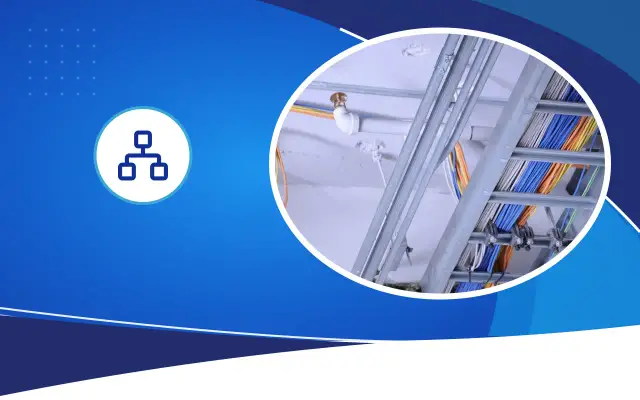
The only difficulty with this method is the cable route. In a newly built or renovated home this is easy; conduits and junction boxes are left under the plaster. In a lived-in home, cable ducts, a suspended ceiling or existing conduits have to be used. If the garden and courtyard are also to be included in the network, as in many detached houses in Şanlıurfa, you need to choose an outdoor-rated access point that withstands sun and dust.
Which one should you choose?
The structure of the home and the possibility of running cable decide it. In a single-floor, three-room apartment, moving the modem to the right place or a two-unit mesh is often enough. In a home with thick walls and separate floors, a wired access point causes fewer problems in the long run. If you are renovating, leaving a network socket in each room and an access point cable in the ceiling makes things easier later, whichever device you choose.
When buying a device, look not at the highest speed figure on the box but at the standard it supports and the number of devices in your home. A system with Wi-Fi 6 (802.11ax) support works more evenly than older standards when many phones, TVs and smart home devices are connected at the same time. But if your phones and laptop use an older standard, you cannot use part of this advantage. In a crowded family home, remember that cameras and smart plugs are also connected to the network; they use little data but increase the number of connections.
If you cannot work out the source of the problem at your home, the Desa Bilişim team can measure the signal on site and prepare a recommendation showing the modem's position, the cable route and the number of devices. It would not be right to say how many devices are needed without seeing the home.
Frequently asked
What should I do if the internet is slow even next to the modem?
In this case, the problem is not in the wireless network inside the home but in the internet line. Connect a computer to the modem with a cable and run a speed test. If the result is far below your subscription speed, have a fault report opened with your service provider.
Does a mesh system require replacing the modem?
Usually not. The main unit of the mesh is connected to the modem by cable and takes over the wireless broadcast. Switching off the modem's own wireless broadcast prevents the two networks from interfering with each other.
Can cable be run without breaking walls?
In most homes, existing phone or antenna conduits, door frame edges and cable ducts at skirting-board level can be used. Which route is suitable depends on the structure of the home, and it has to be looked at on site.
The same Wi-Fi in every room of your home
Tell us in which room the signal drops, and let us work out the right solution for you together.