Short answer
When choosing a switch, answer four questions: how many devices will connect, how many of them will draw power through the cable (PoE) and how many watts in total, will the network need to be split with VLANs, and will the switch connect to another cabinet by fiber. In every project that powers cameras and access points and splits the network, a switch with PoE support that can at least be managed over the web is the right starting point.
What does a switch do?
A switch is a distribution device that connects wired devices to each other and to the router that goes out to the internet. A switch comes into play when the four ports on the back of the modem are not enough, or when cameras, access points, and computers are gathered in one cabinet.
From the outside, all switches look alike: a row of ports at the front and a few lights. The difference is made by the features inside. The same eight-port box can work without trouble for years in a home, while in a business with twelve cameras it can restart the cameras one after another because it does not have enough power.
Port count and speed
Choose the port count not for today's number of devices but for a few years from now. Count the devices to be connected, add one port for the router connection, and leave spares on top of that. An eight-port switch for eight devices means a second switch and extra cable when the ninth device arrives.
On the speed side, gigabit (1 Gbps) ports are the baseline today. Old switches with 10/100 Mbps ports are still sold and may be enough for cameras, but they create a bottleneck in a network with computers and access points. For newer-generation access points, 2.5 Gbps ports are also preferred in some projects.
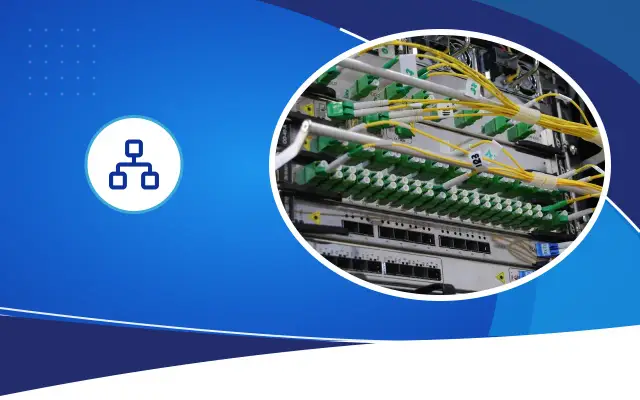
The port that connects the switch to the main switch or to another cabinet is the uplink port. This port needs to be faster than the others, because the traffic of all devices passes through it. If the uplink port is an SFP slot, a fiber module can be installed to connect it by fiber to a distant cabinet.
PoE: which standard, how much power?
PoE (Power over Ethernet) means the device gets its power from the network cable. IP cameras, ceiling-type access points, IP phones, and some access control devices run on PoE. This way, there is no need to run a separate outlet to the pole, the ceiling, or the side of the door.
PoE has different power levels. 802.3af (PoE) gives about 15 watts per port, and 802.3at (PoE+) gives about 30 watts. 802.3bt (PoE++) goes up to 60 and 90 watts. A fixed dome camera often works with af. Moving PTZ cameras, outdoor cameras with heaters, and high-performance access points need at or bt. The device's technical document states which standard it needs.
What deserves the most attention is the switch's total PoE power budget. Although each of the eight ports may look able to give 30 watts, the switch's total budget may be far below that. Add up the consumption of all the devices you will connect and make sure the switch's total budget is above that figure, high enough to leave a margin.
Expert note: Cameras that turn on night infrared lighting draw more power than during the day. Calculate the PoE budget for night consumption; this is often the reason for cameras that work fine by day and drop off at night.
- Port count and spares
- PoE power budget
- Manageability and VLAN
- Heat and ventilation
- Uninterrupted power with a UPS
- Number of cameras and access points
Managed, smart, unmanaged: what is the difference?
An unmanaged switch works as soon as it is plugged in and has no settings screen. It does the job in a home or in a small shop with a single network.
A smart (or web-managed) switch allows basic settings from a web interface: creating VLANs, turning PoE on and off per port, and seeing how much traffic each port carries. It is often enough for small and medium-sized businesses that want to separate the camera network from the guest network.
A fully managed switch is a device where every detail of the network can be configured. It offers features such as loop protection, advanced VLAN structures, link aggregation, and remote monitoring protocols. This class is preferred in school, hospital, factory, and hotel networks with more than one cabinet. There are also layer 3 (L3) switches; they do routing between VLANs themselves and reduce the router's load in large networks.
Common mistakes when choosing
Switch failures usually come not from the device itself but from the wrong choice or the wrong installation.
- Calculating the PoE budget by looking only at per-port power.
- Using an unmanaged switch in a business that has a camera and a guest network.
- Leaving no spare ports.
- Putting a switch with a fan into a closed cabinet with no airflow.
- Leaving the uplink at the same speed as the other ports.
- Leaving the management interface with the default password.
- Not connecting the switch to an uninterruptible power supply (UPS); when the power goes out, all the cameras go off too.
Heat, noise, and placement
PoE switches get warm because they supply power. Most high-budget models have a fan. Putting a switch with a fan inside an office or next to a bedroom leads to noise complaints; it should sit in a cabinet or a technical room. Fanless models are silent but need better ventilation.
In Şanlıurfa in the summer months, the inside of an unventilated cabinet can get hotter than the outdoor temperature. Look at the operating temperature range in the switch's technical document and plan a fan or ventilation for the cabinet. For switches that will work outdoors, in a box on a pole, there are industrial models with a wide temperature range.
Summary of the decision
For a home and a small shop with a single network, a gigabit unmanaged switch is enough. If there are cameras or ceiling-type access points, choose PoE; if the network will be split, choose a web-managed model. In buildings with more than one cabinet and hundreds of devices, fully managed switches with fiber uplinks are needed. Choosing the switches and access points to be compatible with the same manufacturer's management system makes it easier to monitor the network from a single panel. In the camera and network projects it installs, Desa Bilişim chooses the switch together with the device list and the power calculation; if you share the list you have, we can work out together which model will be enough.
Frequently asked
Can a PoE adapter be used instead of a PoE switch?
It can be used for one or two devices. As the number of devices grows, each needs its own adapter and outlet, the cabinet gets cluttered, and protecting them with a UPS becomes harder. For more than a few cameras, a PoE switch is a tidier solution.
Is a managed switch a must for a camera system?
It is not a must, but it is recommended. Separating the cameras from other networks, restarting a faulty camera remotely, and seeing port traffic are possible with a managed switch.
How long can the cable between switches be?
Up to 100 meters with copper cable. For longer distances or between buildings, switches with SFP ports are connected with fiber.
The right switch, with the right power calculation
Send us the list of devices you will connect, and we will calculate the port and PoE needs together.