Short answer
For reliable internet in hotels, guesthouses and dormitories, you need centrally managed access points placed roughly one per room or one per few rooms, instead of a few devices mounted on the corridor ceiling. The guest network should be separated from the business’s reservation, cash register and camera systems, and a per-person speed limit and a login page should be used. These businesses may be required to keep access logs under Law No. 5651.
Why is Wi-Fi hard in accommodation places?
Hotel and dormitory buildings are among the hardest structures for a wireless network. Each room is separated by reinforced concrete walls, the bathrooms are tiled, and the room doors are often made of heavy, fire-resistant material. The signal of an access point placed on the corridor ceiling weakens considerably before it passes through the room door and the bathroom wall and reaches the bedside.
The second difficulty is the way the network is used. Rooms that are empty during the day all fill up at the same time in the evening. Guests watch video on their phones, work on laptops and stream on the TV. In dormitories this load continues until late at night and peaks in exam periods. The network must be planned for these busy hours, not for the average day.
The third difficulty is that the network grows piece by piece. In many small hotels, a separate modem has been added on each floor and a range extender in every corner. Each time a guest changes floors, they have to connect to a different network, and reception cannot tell which device is faulty.
Access point placement: in the room or in the corridor?
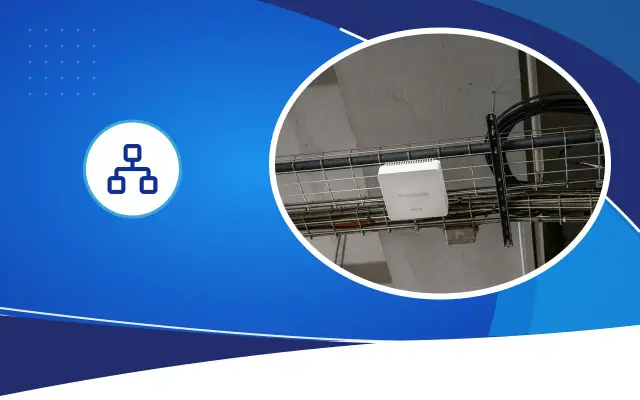
Corridor placement is set up with fewer devices, but complaints of weak signal and low speed inside the room are common. Wall-type access points placed inside the room or on the shared wall of two rooms carry the signal unobstructed to the bedside. Some of these devices have extra network ports on the back; the TV or IP phone in the room can be connected to these ports by cable.
Which placement to choose depends on the structure of the building, room sizes and the budget. In a hotel under construction or renovation, leaving a network cable in every room is the most flexible option. In an occupied building, the decision is made by examining the existing cable routes. The lobby, restaurant, meeting hall and the study halls in dormitories are handled separately; many people connect at the same time there, and ceiling-type high-capacity devices are needed.
All access points should be controlled from a single management panel. A guest walking around the building stays connected without interruption under a single network name, and reception or the technical person in charge can see on screen in which room there is a problem.
Expert note: Plan the access point placement on the floor plan, marking the positions of doors and bathrooms. After installation, doing a speed test with a phone in the farthest room, next to the bed and in the bathroom shows whether the plan is accurate.
Separate the networks from each other
In an accommodation business, several systems run over the same cables. It is necessary for security and performance that they do not see each other. The separation is made with virtual networks called VLANs.
- Guest network: with a login page, per-person speed limit, and guest devices cannot see each other.
- Staff network: reception, accounting and management computers.
- Reservation and payment systems: a separate network for cash register and POS devices.
- Security network: cameras, recorder and access control system.
- Broadcast network: a separate network if IP television or a central TV system is used.
- Wall structure and room layout
- Number of people at the busy hour
- Access point placement
- Network separation and login page
- Access logs and KVKK
- Cabinet, backbone and UPS
Login page, speed limit and logging obligation
In accommodation businesses, guests usually get onto the guest network through a login page (captive portal). The guest connects to the internet with a room number and surname, a code given at reception, or an SMS sent to their phone. This way, who connected with which device and at what time is recorded, and the access of a guest whose stay has ended expires automatically.
Law No. 5651 and the related regulation define places that provide internet access collectively as collective use providers. Hotels, guesthouses and dormitories are accepted as possibly being evaluated within this scope and as needing to keep access logs in a set manner. The content, retention period and method of the records are described in the legislation and may change over time. If personal data is collected from the guest at login, a privacy notice must also be provided under Personal Data Protection Law No. 6698. We recommend clarifying the current conditions on both matters with a legal advisor.
A speed limit prevents a single guest downloading high-resolution video or large files from slowing down the whole floor. Different rules applied after midnight in dormitories and limits on gaming and streaming applications can also be set from the management panel.
Internet line and redundancy
Even the best wireless network cannot exceed the capacity of the internet line. The number of rooms, the number of people connecting at the busy hour and the guests’ typical use determine the line capacity. Upload speed matters too; guests’ video calls, remote viewing of cameras and the reservation system use upload speed.
In a hotel connected to a single line, when the line goes down, reservations, payments and guest internet all stop together. Taking two lines from two different providers and doing load balancing and backup with a router reduces this risk. In Şanlıurfa, occupancy rises in the periods when visitors to Balıklıgöl and Göbeklitepe peak; the line capacity should be reviewed for those periods.
Wired infrastructure, cabinet and maintenance
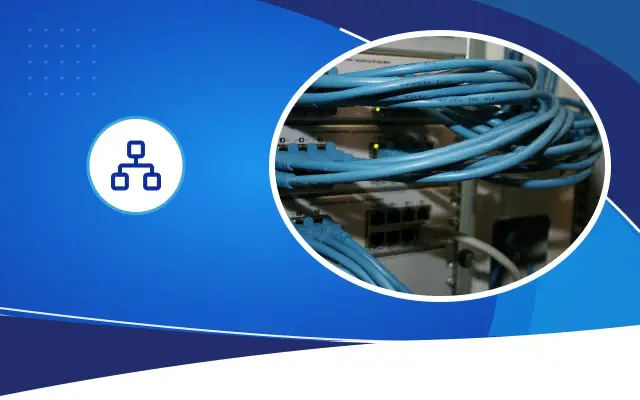
Behind the wireless network there must be a solid wired infrastructure. One cabinet on each floor, a fiber or Cat6A backbone between cabinets, Cat6 runs to the access points, and the access points that are powered over PoE by the switchunits, which together form the skeleton of this structure. The cabinets must be locked, ventilated and located where guests cannot reach them. All active devices must be powered through a UPS so that a short power outage does not cause all the access points to restart.
Regular monitoring of the network after installation reduces complaints. The central management panel shows the faulty access point, the overloaded floor and the hours when the line fills up. Desa Bilişim can plan network, camera and central TV systems together for accommodation businesses and monitor them with remote support. If you share your floor plan and room count, we can prepare a plan and a written quote tailored to you after an on-site inspection.
Frequently asked
Is it necessary to put an access point in every room?
It is not necessary in every building. If the room walls are thin and the rooms are small, one device for every two or three rooms may be enough. In buildings with thick walls and large rooms, and in heavily used dormitories, in-room devices noticeably reduce complaints. The decision is made based on the floor plan and on-site measurement.
Is giving guests a single password enough?
In a small guesthouse it can be enough to start with, but you cannot track who connected, and a departed guest’s access continues. A login page or timed codes make both record keeping and access control easier.
What does the cost of a hotel’s internet infrastructure depend on?
The number of rooms and floors, existing cable routes, the number and type of access points, the PoE capacity of the switches, the logging and login page system, and the number of lines determine the cost. For an exact figure, an on-site inspection and a written quote are needed.
Keep your guests connected in their rooms too
Share your floor plan and room count, and let’s plan your network for the busy hours.