Short answer
The number of access points is not calculated by square meters alone. The material of the walls, the number of users that will connect at the same time, the applications to be used and the frequency band are the determining factors. In a hotel with concrete walls a device may be needed every few rooms, while in an open warehouse a single device covers a wide area. The right number is found with a preliminary design on the floor plan and signal measurement on site.
Coverage and capacity are not the same thing
In Wi-Fi planning there are two separate questions. The first is coverage: does the signal reach every corner of the building with enough strength? The second is capacity: can everyone connected at the same time in that corner work comfortably? In a conference hall the signal can be perfect, but when two hundred people connect at once, a single access point cannot carry that load.
That is why planning is done in two steps. First the minimum number of devices needed for the signal to reach everywhere is found. Then a capacity calculation is made for crowded areas and, if needed, more than one device is placed in the same area. Meeting rooms, canteens, auditoriums and lobbies are usually in the second group.
The manufacturer's brochure states how many users a device supports. This figure is a theoretical upper limit; in real use, as the number of users making video calls or downloading large files grows, the number of people who can work comfortably drops noticeably.
How do walls affect the signal?
The signal weakens as it passes through every obstacle, and this weakening differs greatly by material. A plasterboard partition affects the signal little. Brick affects it more; reinforced-concrete shear walls and columns affect it far more. In Şanlıurfa's old stone houses and thick-walled buildings, the signal passes from one room to another with difficulty.
Metal surfaces reflect or block the signal. Elevator shafts, metal shelves, cold-room panels and mirrored glass are marked separately in planning. Water also absorbs the signal; around pools, aquariums and in storerooms with water and drink cartons stacked on top of each other, the coverage area shrinks.
The frequency band also matters. The 2.4 GHz band passes through walls better but has few channels and is crowded. The 5 GHz and 6 GHz bands offer higher speed and more channels but weaken more when passing through walls. For a fast and crowded network, devices need to be placed more closely.
Approach by type of space
Every type of building has its own placement logic. The items below are a starting point; the exact number is determined by measurement.
- Hotel: placement close to the room rather than the corridor, devices in rooms where walls are thick
- School: one device in each classroom or one per two classrooms, separate coverage in the corridor
- Office: on the ceiling at regular intervals in open areas, separate ones for meeting rooms
- Warehouse: between and above the racks, according to the aisles where handheld terminals are used
- Factory: according to the position of machines and metal structures, a dust-protected enclosure
- Conference hall: with a capacity calculation, more than one device
Expert note: Access points lined up on the corridor ceiling look easy on paper, but in hotels and dormitories a weak signal reaches the inside of rooms from behind the door and bathroom wall. If you want a good connection inside the room, devices are placed in the rooms or on the walls between rooms.
- Area and number of floors
- Wall material and columns
- People connected at the same time
- Frequency band and channel plan
- Cable and PoE infrastructure
- Network separation and security
Why is the channel plan important?
When access points are installed close to each other and use the same channel, they interfere with each other. In that case, as the number of devices grows, the network slows down instead of getting faster. Neighboring devices are assigned to different channels, and their transmit power and coverage areas are set so that they do not overlap more than necessary.
In centrally managed systems this setting is largely automatic; the management software listens to the environment and distributes channels and power. In a network made of home modems installed one by one, each device decides on its own and conflicts are frequent. Connecting home modems to each other with repeaters in a business of a few floors can cause the speed to drop many times over.
Cabling and power
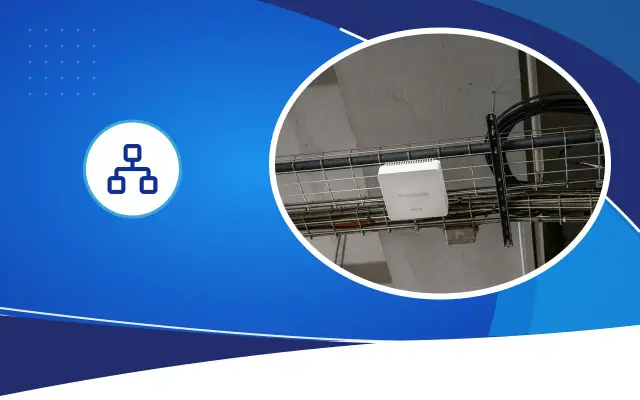
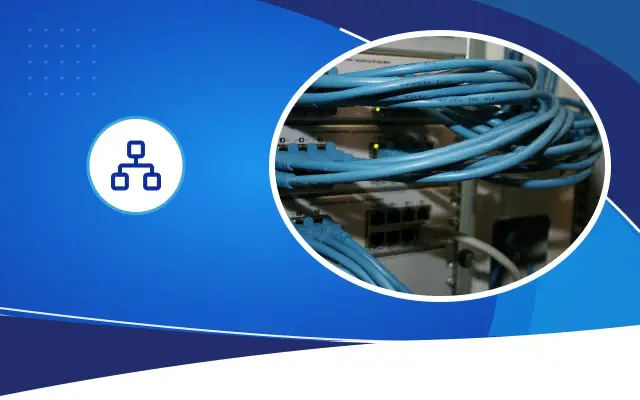
Business access points connect to the wired network and usually get their power from the same cable through PoE . That is why an Ethernet line is run to each device's location, and the switch's PoE power budget is chosen according to the total number of devices. The length of the line must not exceed the 100-meter limit.
Wirelessly interconnected mesh devices are useful where a cable cannot be run, but every wireless hop lowers the speed. In a permanent business network the backbone should be wired, and wireless links should be used only on the user side.
In a new building or a renovation, running a little more cabling than needed to the access point locations is a cheap precaution. If the use of a section changes later and it gets crowded, you do not need to reopen the ceiling for a new device.
On-site measurement and post-installation check
A preliminary design is made on the floor plan with planning software, but the real effect of the walls shows up on site. During the site survey, a temporary access point can be set up and the signal measured around it. This measurement shows the effect of reinforced-concrete columns and unexpected metal structures.
When installation is finished, a coverage measurement is made by walking through the building and the result is delivered as a heat map. Spots that remain weak show up on this map and are corrected by changing the device's location or power. This map is also used for comparison when a complaint comes later. Taking the measurement not when the building is empty but at normal usage hours, with doors closed and people inside, gives a more realistic result. A crowded classroom or a full restaurant is a different signal environment from its empty state.
Security and network separation
In crowded networks, guests, staff and devices are kept on separate networks. The guest network cannot access company files and recorders. Cameras, cash registers and automation devices run on a separate network. If this separation is added to the wireless network's design from the start, it creates no extra work during installation.
In publicly accessible networks such as hotels and dormitories, there can be legal obligations such as user authentication and record keeping. Check the current regulations on this and consult a specialist if needed.
Frequently asked
How many square meters does one access point cover?
Giving a single figure is misleading. A device that covers a wide area in an open warehouse can be limited to a few rooms in a hotel with reinforced-concrete walls. The right number is determined by the floor plan and by measurement on site.
Is a home modem with a repeater enough for a business?
In a small, single-story space it may get by. Where there are multiple floors and many users, every wireless hop lowers the speed and devices suffer channel conflicts. Centrally managed access points with a wired backbone are more stable.
How do I check coverage after installation?
A measurement is made by walking through the building, and the result is delivered as a heat map. Weak spots show up on this map and are corrected by changing device location or power setting.
Let's plan your building's Wi-Fi together
Share your floor plan and number of users; Desa Bilişim will measure on site and present the access point layout with a written quote.