Short answer
If a cable can be run between two buildings, fiber optic cable gives the most stable connection; it is not affected by weather or interference and does not carry lightning risk between buildings. If digging is not possible, if a road or someone else’s land lies in between, and the buildings can see each other, a radio link is a practical solution. The choice depends on distance, line of sight, the speed needed and permission for the cable route.
Why not use copper cable?
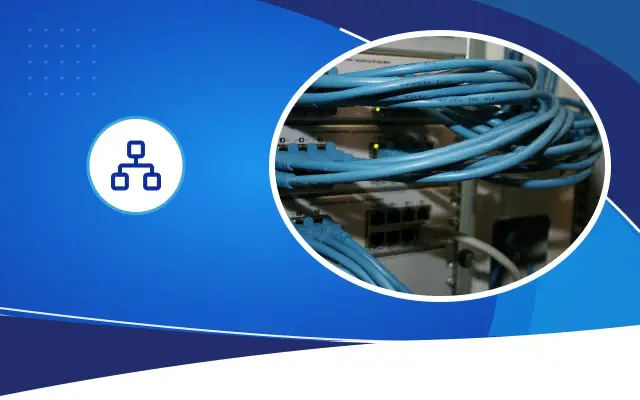
Even if the distance between two buildings is short, running Cat6 cable between them causes two problems. The first is distance: a copper Ethernet channel is limited to 100 meters, and that fills up quickly when measured from cabinet to cabinet. The second is electricity. Each building has its own earthing, and a potential difference can arise between the two. Copper cable carries this difference, and the effect of a nearby lightning strike, from one building to the other.
In the field, this shows up as the switches in both buildings burning out at the same time after a storm. Fiber is made of glass or plastic strands and does not conduct electricity. It electrically isolates the buildings from each other. That is why fiber is the standard solution for backbone links between buildings.
How is a fiber optic link installed?
Fiber cable is run underground in a conduit, along an existing duct or cable tray, or overhead on poles. On an underground route the cable is placed in a protective conduit, and manholes or splice boxes are left at intervals for splicing and pulling. On an overhead line, self-supporting aerial fiber cable is used.
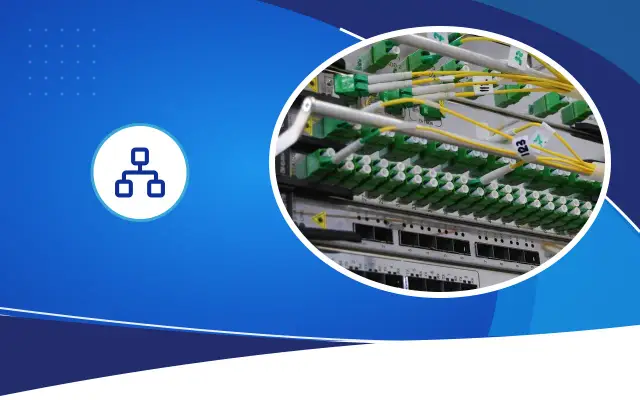
At both ends of the fiber there is a fiber distribution box in the cabinets. Here the cable’s strands are spliced to connectors and linked to the switches with short fiber patch cables. Suitable modules are fitted in the switches’ fiber ports. The module type is chosen according to the type of fiber used and the distance.
Pulling more strands than you need today is a cheap precaution. When a separate camera network or a backup line is needed a few years later, the spare strands are used and no new digging is needed.
Expert note: If there will be digging, choose a conduit larger than needed and leave a pull rope inside it. The fiber cable may need replacing over time or a second cable may be added alongside it; if the conduit is in place, this can be done without digging.
When does a radio link make sense?
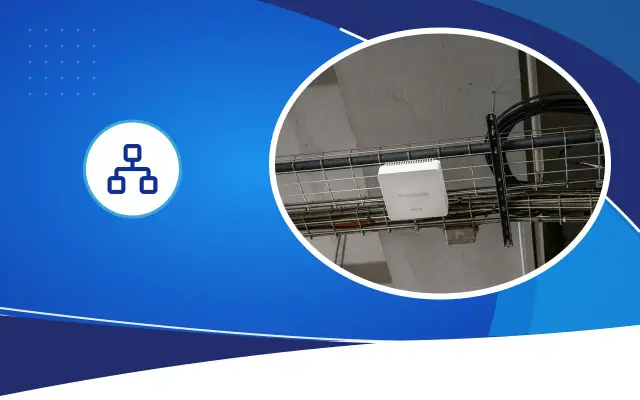
A radio link consists of two antennas facing each other, mounted on the roofs or facades of two buildings. A wireless bridge is set up between them, and the two networks work as one. It is used when running a cable is not possible:
- If there is a road, a stream or someone else’s land between the buildings
- If getting a digging permit is difficult or would take too long
- If the link is for a temporary construction site or event
- If you need to reach a remote point such as a field, a warehouse or a wellhead
- If you want a backup second path for the fiber line
Line of sight and the Fresnel zone
The first requirement for a radio link to work is that the two antennas can see each other. If there is a building, tree or hill in between, the link cannot be set up or stays weak. But a clear straight line alone is not enough. The signal spreads between the antennas in an ellipse that bulges in the middle. This area is called the Fresnel zone, and most of it needs to be clear.
In practice, this means mounting the antennas high enough above the ground and the obstacles in between. The longer the distance, the wider the middle of the zone, and the higher the antennas need to go. Also keep in mind that a building may later go up on an empty lot, and a small sapling will become a tree in a few years.
Before installation, a link analysis is done either by looking from each point toward the other or by using map and elevation data. This analysis determines the antenna height and which frequency band is suitable.
Weak points of radio links
Radio links work on unlicensed frequency bands, and other devices using these bands in the same area can cause interference. A link that worked without problems for a year in a crowded city center may slow down once another system is installed on a neighboring building. Some high-frequency bands offer very high speeds but are more sensitive to signal loss in heavy rain and sandstorms.
The antenna’s direction can shift over time due to wind or the mast flexing. On Şanlıurfa’s strong-wind days, if a poorly secured antenna turns a few degrees, the link quality drops. The antenna is mounted on a sturdy mast with suitable clamps, and the signal values reached during installation are recorded; if there is a drop later, it is compared with these values.
Because the antennas sit on the roof or at the top of a mast, lightning protection and earthing must also be planned. A surge protector is fitted on the copper cable between the antenna and the switch inside.
How do you decide?
Distance, route and needs are assessed together. On sites under a single owner, such as a campus or factory, if digging is possible, fiber causes the fewest problems in the long run. Where camera recordings and business applications pass over the same link, fiber’s immunity to weather and interference is a big advantage.
Where running a cable is not legally or physically possible, a radio link is the right choice. For important links the two methods can be used together: fiber is the main line, and the radio link works as a backup path that takes over when the fiber is cut.
What is asked during the site survey?
The distance between the two buildings, obstacles in between, where the cabinets are in the buildings, roof access, a route where digging is possible and the traffic the link will carry become clear during the site survey. If camera, telephone exchange, access control or server traffic will pass over the same link, this changes the decision on speed and redundancy.
If the route must cross someone else’s land or public property, the permit process is planned separately. This requires talking to the municipality and the relevant authorities.
Frequently asked
Up to how many meters does a radio link between two buildings work?
The distance depends on the device used, the frequency band and how clear the line of sight is. Small devices are enough for short distances, while long distances need larger antennas and higher mounting. The exact value is determined by a link analysis.
Why is running Cat6 cable between buildings not recommended?
Copper cable is limited to 100 meters and carries the potential difference between the two buildings’ earthing systems, or the effect of a nearby lightning strike. Because fiber does not conduct electricity, it removes this risk.
Can a radio link carry camera video?
Yes. The required speed is calculated from the number of cameras and the resolution, and the device is chosen to provide that speed. Which building the recorder is in also determines the load on the link.
Let’s plan the link between your buildings
Share your building locations and needs; Desa Bilişim will inspect the route on site and prepare a written quote for fiber or a radio link.