Short answer
When production drops, first compare today's value with the same month last year; low production in winter is not a fault. If there is a real drop, compare the string currents against each other on the monitoring screen and check the inverter's error log and the grid voltage. Most problems come from dust, shade, a blown fuse, a loose connector, or an inverter stopped because of high grid voltage.
Make the right comparison first
A solar system's production changes naturally through the year. In December the days are short, the sun comes in low, and the same panel produces far less than it did in June. A user who looks at the app in January and cannot see July's figure may think the system is faulty.
The right comparison is the value of the same month in previous years. If the system is new, ask for the annual production estimate given at installation, broken down by month. Look at the total for at least a week, not a single cloudy day. In Şanlıurfa, the days when a dust cloud passes in spring also temporarily reduce production.
If the comparison shows a real drop, it is time to start looking for the cause. Start with the cheapest and easiest check and go in order.
Which values should you look at on the monitoring screen?
Most invertermodels show production through a mobile app or a web panel. The daily kWh value on the main screen tells you whether there is a problem, but not where it is. The detail screens contain the following information:
- Voltage and current of each string (MPPT input)
- Inverter output power and daily production curve
- Grid voltage and frequency
- Inverter internal temperature
- Error and warning logs, with their dates and times
Expert note: Save a few screenshots of the monitoring screen while the system is healthy. Knowing how many amperes each string normally gives at noon lets you make the comparison within minutes when a problem appears.
Why do string currents matter?
Panels are connected in series to form strings, and each string goes to one input of the inverter. Two strings that face the same direction and have the same number of panels should give about the same current at the same time. If one is clearly lower, the problem is in that string: shade, dirt, a faulty panel or a connection problem.
If a string's voltage is zero or very low, the string has dropped out. Common causes are a blown DC fuse, a connector that has come loose, or a cable damaged somewhere. On the roof, a mouse, a bird or a piece blown by the wind can damage the cable insulation.
If the voltage is normal but the current is low, the light falling on the panels has decreased. In this case, check dust and shade first. Even a small stain like bird droppings on the panel surface can switch off a group of cells inside the panel and lower production more than expected.
- 1Compare with the same month last year
- 2Compare string currents
- 3Read the error logs
- 4Check dust and shade
- 5Check the grid voltage
- 6Call service if needed
Dust, shade and new obstacles
In Şanlıurfa, the most common cause is dust. In weeks without rain, a thin layer builds up on the panel surface and production slowly drops. Because this slow drop does not make a clear break on the graph, it goes unnoticed. If production suddenly rises after the panels are cleaned, the cause is clear.
Shade moves with the seasons. A chimney that causes no problem in summer can fall on part of the panels in winter when the sun is low. A new building rising on the neighboring lot, a growing tree, or an air conditioner outdoor unit installed on the roof later has the same effect. Going up to the roof at different times of day to look, or taking a few photos, is the easiest way to find the shade.
Why does the inverter shut itself down?
The inverter disconnects itself from the grid when the grid voltage and frequency go outside certain limits. This is a safety feature. On rural lines or in buildings at the end of a transformer, the voltage can rise around noon when the solar systems around all feed the grid at the same time. The inverter stops with a high-voltage warning and comes back on when the voltage drops. If you see sawtooth-like interruptions around noon on the graph, this possibility is checked.
This problem is not solved by the user playing with inverter settings. The setting limits depend on the connection conditions. Whether the cable cross-section between the inverter and the panel board is sufficient is checked; if the problem is in the grid, you apply to the distribution company.
Excessive heat also lowers production. When the inverter's internal temperature rises, it reduces its power to protect itself. An inverter sitting in the sun in a cabinet with no ventilation therefore under-produces on July afternoons. Fans and air ducts clogged with dust lead to the same result.
Which jobs are yours and which belong to service?
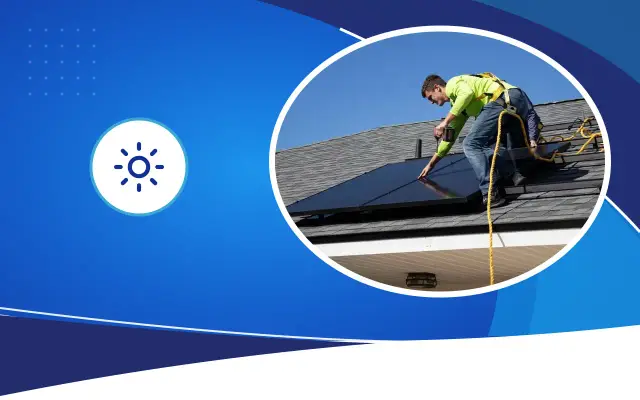
Looking at the monitoring data, observing shade and cleaning the panel from the ground with soft water are things the user can do. Working on the roof without safety equipment carries a serious risk of falling.
Opening the panel board, changing a fuse, touching a connector or measuring a cable is a service job. When the sun is out, the panels produce direct current voltage; this voltage is present in the strings even when the inverter is off. If you notice a burning smell, a blackened connector in the panel board, or an insulation fault warning on the inverter, shut down the system according to the manufacturer's instructions and notify service.
On site, service measures the strings one by one and, if needed, looks for heated cells in the panels with a thermal camera. Fault finding is faster if you prepare a screenshot of the error logs, the approximate date the problem started and the latest changes made.
If the monitoring connection is lost
Sometimes the problem is not in production but in the data reaching you. If the app has shown zero for days but the inverter's screen shows production, the inverter's internet connection has been lost. A modem change, a renewed Wi-Fi password or moving the modem far from the inverter causes this.
In this case the system keeps working; you just cannot see it. Still, a connection loss that goes unnoticed for a long time also lets a real fault go unnoticed. Connecting the inverter to the modem by cable or placing an access point next to the inverter is the permanent solution. For systems in the field, a monitoring module that uses a mobile line can be preferred.
Turn on notifications in the app for when production drops or the inverter reports an error. In some systems this setting comes switched off by default. Also choose who the notification goes to: a warning sent to a single person's phone at a business is seen by nobody while that person is on leave. It is safer to add two people and the company that did the installation as recipients.
Frequently asked
The panels were cleaned but production is still low. What could be the cause?
One of the strings may be out of service, a panel may be faulty, a connector may be loose, or the inverter may be reducing power because of high voltage or temperature. Comparing the strings on the monitoring screen narrows down where the problem is.
Why does the inverter switch off and on around noon?
Most often the inverter disconnects itself because the grid voltage rose above the limit. The cable cross-section is checked; if the problem is in the grid, you apply to the distribution company. Do not change the settings yourself.
Does a solar panel produce less over the years?
Panels lose efficiency slowly over the years, and the upper limit of this loss is written in the manufacturer's document. A clear drop within a few months is not explained by aging; look for a fault or dirt.
Let us review your production data together
Share your monitoring screen images; the Desa Bilişim team will narrow down the problem remotely and check on site if needed.