Short answer
In factories and warehouses, network infrastructure is planned differently from an office: distances are long, the environment is dusty and hot, and electrical cables and motors create interference. Remote sections are connected to the center with a fiber backbone, and dust- and heat-resistant cabinets and, where needed, industrial switches are used in the field. Camera, machine and office traffic are kept on separate networks.
Why does an office-type installation cause problems in the field?
In many facilities, the network grows from a cabinet set up in the office section toward the production area. First a few cameras are added, then a machine’s computer, then handheld terminals for the warehouse. With every new need, a long Cat6 cable is run from the switch in the office. After a while you get runs over 100 meters, cables tied to the ceiling haphazardly, and connections that drop often.
The conditions of the production area are also different from the office. Dust, humidity, vibration, high temperature and the interference created by electric motors strain equipment designed for an office. In the Şanlıurfa organized industrial zone, the temperature under the roof rises very high in summer; a small switchin a plastic box hung from the ceiling can shut itself down at this temperature.
These problems are largely avoided when a plan is made from the start. The plan considers the facility as it is today and as it will be in a few years.
Backbone: fiber and zone cabinets
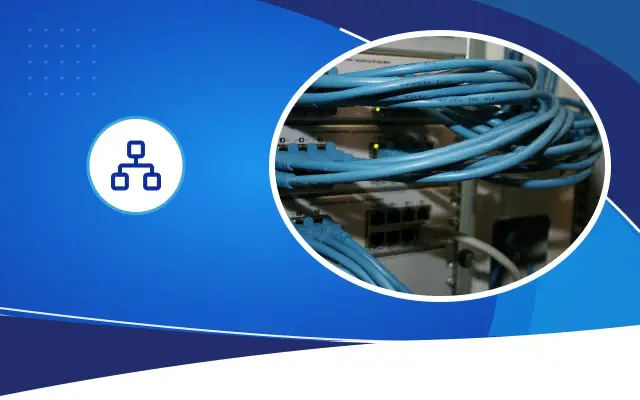
In large facilities, instead of pulling all cables to a single center, zone cabinets are installed. There is a cabinet in each production hall, warehouse or administration building, and the devices in that zone connect to that cabinet. The zone cabinets connect to the main cabinet in the center with fiber cable.
Fiber carries long distances easily and is not affected by electrical interference. Between halls with high-power motors and welding machines, this property prevents communication errors. When the link between buildings or halls is fiber, an electrical fault or lightning effect in one section does not carry over to the other.
The runs from the zone cabinet to devices are copper, and each is planned to stay within the 100-meter limit. When choosing the cabinet location, a point near the middle of the zone, away from forklift traffic and easy to reach is preferred.
Expert note: Leave more fiber strands and spare ports in zone cabinets than you need. As production lines change, there will be a need for new machines, new cameras and new terminals; spare capacity avoids digging and pulling new cable with every addition.
When is an industrial switch needed?
Industrial switches are built to work across a wide temperature range and to withstand dust and vibration. Most mount on a DIN rail inside a panel and are cooled without a fan. They are suitable for devices that will be placed inside machine panels, on poles in the open yard or in halls without temperature control.
You do not need industrial switches everywhere. A commercial switch works without problems in an air-conditioned, clean zone cabinet. The decision is made according to the conditions of the place where the device will sit:
- How high does the ambient temperature get in summer?
- Is there dust, flour, sawdust or chemical vapor?
- Will the device be exposed to machine vibration?
- Can a fan be used inside the panel, or must it stay sealed?
- Is the supply 230 V, or direct current from the machine panel?
- Zone cabinets and fiber backbone
- Every copper run under 100 meters
- Switch and cabinet suited to the environment
- Separation of data and power cable
- Protected conduit on the forklift route
- Wi-Fi layout based on shelf fill
- Separate office, production and camera networks
- Up-to-date network diagram and labeling
Cable route and separation from power lines
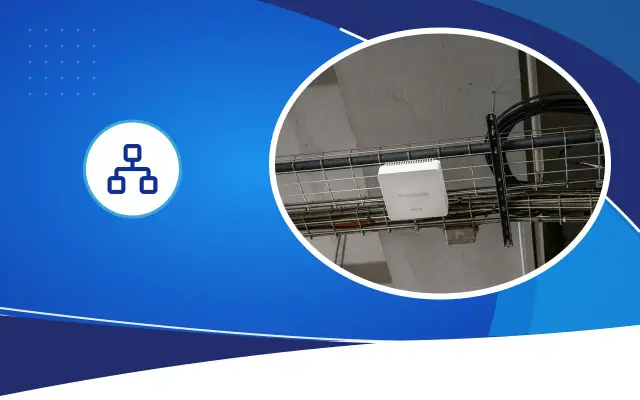
Data cables should not run alongside heavy-current cables in the same tray over long distances. Motor and drive cables create strong interference and cause errors on unshielded copper data cable. Data cables are carried in a separate tray, or in the same tray with a divider, away from heavy-current cables. Crossings are made at right angles where possible.
In the field, cables are exposed to mechanical damage. Where forklifts pass, cables running along the floor are placed in protected conduit or pipe, and at the foot of shelves and machines a route where cables will not be crushed is chosen. In very dusty environments, cabinet doors should be gasketed and cable entries sealed with glands.
In sections with heavy interference, shielded cable can be used. For shielded cable to work properly, its grounding must be done correctly at both ends; a wrongly grounded shield can make the problem worse instead of solving it.
Wi-Fi and handheld terminals in the warehouse
In warehouses, barcode scanners and handheld terminals connect to the wireless network. The users of these devices are constantly moving and pass from one access point to another between shelf aisles. If the connection drops during the handover, the scanned product does not reach the system and the worker repeats the same action.
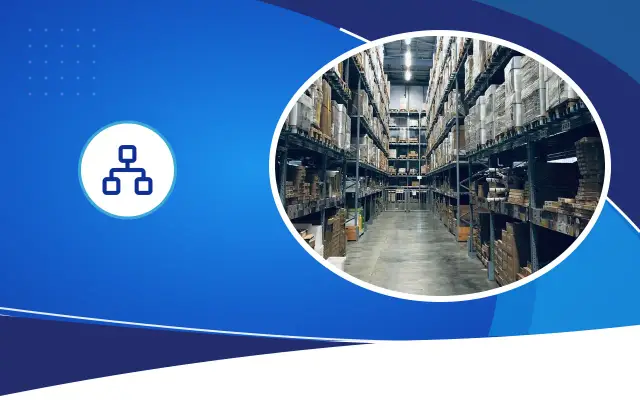
Metal shelves and products stacked on top of each other block the signal. A measurement taken in an empty warehouse can become invalid when the shelves fill. Access points are placed at the ends of the shelf aisles or above the aisles, taking into account how full the shelves are. In high-ceiling warehouses, the devices are lowered to a level near shelf height rather than on the ceiling.
Cold storage and cold rooms are a separate matter. Panel walls block the signal almost completely, and the temperature inside may fall outside the device’s operating range. Suitable devices and layout for these areas are planned separately.
Network separation: office, production and cameras
In a factory, devices used for different purposes run on the same physical infrastructure. Office computers go online and receive e-mail. Production machines and automation devices often run old software and receive no updates. Having these two groups on the same network means a malicious e-mail opened in the office can stop the production line.
With managed switches, the network is divided virtually. Office, production, camera, guest and warehouse terminals are kept on separate networks, and traffic between them is controlled through a firewall. Camera traffic is large and constant; keeping it on a separate network also protects the speed for other users.
Documentation and maintenance
The facility’s network diagram, cabinet locations, fiber routes and what each port is connected to should be kept in writing. When a fault happens, this document lets you find the problem in minutes instead of tracing cables for hours. An unlabeled cabinet slows down even the most experienced technician.
Cabinets in the field should be opened and cleaned at least once a year, and fans and filters should be checked. This check, done before summer, prevents most of the shutdowns that happen on hot days.
Frequently asked
Do you need industrial switches everywhere in a factory?
No. In an air-conditioned, clean cabinet a commercial switch is enough. Industrial switches are preferred at points with harsh conditions, such as a machine panel, a hot hall or an open yard.
Can I run data cable through the same tray as power cable?
Running them side by side over long distances is not recommended, because motor and drive cables create interference. Separate trays or trays with dividers are used, and crossings are made at right angles.
Why do handheld terminals lose connection in the warehouse?
Metal shelves and stacked products block the signal, and the handover between access points may not be set up correctly. A layout and measurement that take full shelves into account solve the problem.
Let’s plan your facility’s network from the start
Share your layout plan and your needs; Desa Bilişim will inspect the site on location and prepare a written quote with a backbone and cabinet proposal.