Short answer
They can be combined, but this depends on whether the chosen brands can talk to each other. The easiest way is to choose the alarm, cameras and smart home devices from the same ecosystem; with different brands, common standards and integration modules are used. Whichever way you choose, the alarm must keep working on its own even if the smart home hub or the internet is down.
Why do people want a single app?
In many homes, the alarm has one app, the cameras a second, and the smart lights a third. Nobody enjoys opening three separate apps when leaving home in the evening. Bringing them together in one app makes daily use easier and makes it possible to set up scenes where devices trigger each other.
A scene is when one event sets another device in motion. All the lights and the air conditioner turning off when the alarm is armed, every light in the house turning on and the cameras starting to record when the alarm goes off, the hallway light turning on when the door opens: each of these is a scene. These links are the real benefit of a single app.
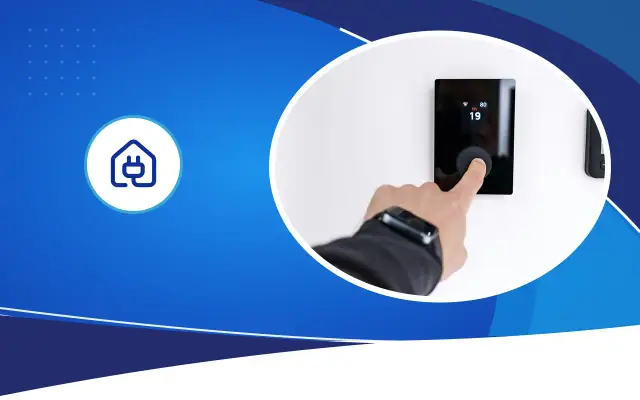
The benefit you feel most in daily use is the moment you leave home. When you step out the door and enter your code on the keypad, or tell the app you are away, the lights turn off, the air conditioner stops and the alarm is armed, all at once. For forgetful members of the household, this alone can be a reason to combine them.
How can they be combined?
The first way is a single-brand ecosystem. Some manufacturers offer the alarm panel, cameras, smart plugs and sensors in the same app. Installation is easy and scenes run smoothly. The drawback is that you have to choose every device you buy later from the same brand.
The second way is integration. Modules and connections are used that let the alarm panel or the recorder talk to the smart home hub. For security cameras, a common standard called ONVIF lets cameras of different brands connect to the same recorder. On the smart home side, common standards such as Matter bring different brands together. This way is more flexible, but not every feature is supported by every brand.
The third way is to keep separate apps and link only a few critical scenes. The alarm stays in its own app, and the smart home hub reads whether the alarm is armed and manages the lights accordingly. In practice, this middle path gives the most reliable result in most homes.
Why should the alarm stay independent?
Smart home devices are designed for comfort. When an app update, an internet outage or a problem with the manufacturer's cloud service stops them for a few hours, it is annoying but not dangerous. For an alarm system, those same few hours could be the hours when a burglar gets in.
That is why the alarm panel must have its own sensors, its own siren, its own backup battery and its own communication path. The smart home hub can arm and disarm the alarm and read its status, but the alarm must not depend on it to work. If the hub fails, the alarm must stay armed and keep notifying you.
The same logic applies to the recorder. Cameras should record video to the local recorder, and sending it to the cloud and viewing it in the app should remain an extra layer.
Expert note: After installation, turn off the modem for a few minutes and trigger a sensor. If the alarm sounds its siren, notifies you over GSM and the recorder keeps recording, you have set up the system correctly.
Scenes that actually work
Scenes determine the value of combining. The following are the links most often used in homes that genuinely work.
- When the alarm is armed, the lights, air conditioner and selected outlets turn off.
- When the alarm goes off, all indoor and outdoor lights turn on and the cameras start recording.
- If the door opens in night mode, the hallway light turns on and you get a notification on your phone.
- When a smoke or flood sensor is triggered, the related outlets are switched off.
- When someone comes to the door, the intercom image appears on your phone and TV.
- While you are on vacation, the lights turn on and off at varying intervals in the evening.
Security and privacy risks
A single app means a single door. Someone who gets hold of that app's password can disarm the alarm, watch the cameras and open the door. That is why a strong password and two-step verification on the account should be considered mandatory. Set up a separate user for each member of the household and decide who has which permissions. Children may need to be able to disarm the alarm, but they do not need to be able to delete camera recordings.
Keep device software up to date and change the default passwords. If possible, move the cameras and smart devices onto a network separate from your home's main network. Decide together with your household where indoor cameras will go. For cameras that view shared areas such as an apartment building hallway or the street, obligations under Law No. 6698 KVKK may come into play; if you are not sure, ask a legal advisor.
Should the intercom and smart lock be included too?
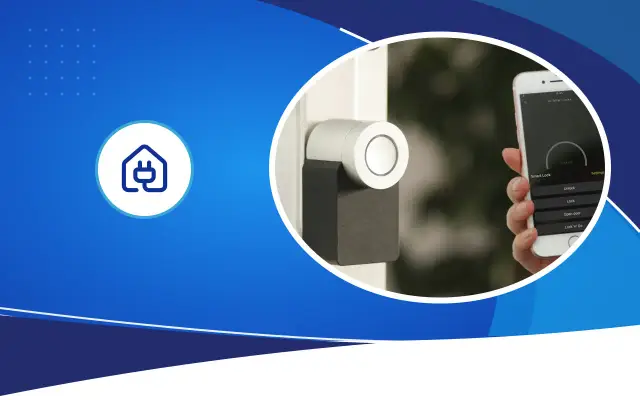
Video intercoms and smart door locks sit between security and the smart home. IP-based intercoms send the image of the person at the door to your phone and let you open the door remotely. This is useful for parcel deliveries or when your child gets home from school.
Making the door lock remotely openable, however, is a decision that needs careful thought. If the scene that opens the lock is set up wrong or the account is compromised, the door may open at an unwanted moment. We recommend that commands that open the lock always require a person's approval and are not tied to automatic scenes. What the alarm will do if the lock is opened remotely while the alarm is armed should also be decided from the start.
Don't forget the batteries in smart locks either. Make sure a lock with a dead battery can be opened with a mechanical key or an emergency power input. During installation, test how the intercom and the lock behave in a power outage.
The right installation order
Set up the security foundation first: alarm panel, sensors, siren, communication module and recorder. Once this system works smoothly on its own, add the smart home hub and link the scenes one by one. Test after each scene. If ten scenes are set up at once, it becomes hard to find which one causes unexpected behavior.
If this order is planned at the cabling stage in a new home or a renovation, the cables needed for cameras, the alarm and smart home devices are laid from the start. Desa Bilişim designs security and smart building systems together; while keeping the alarm independent, it shows in writing which scene will be set up with which device.
Frequently asked
Can I connect my existing alarm to a smart home app?
It depends on the panel model. Some panels can connect to smart home hubs with an internet module or an integration card, while others work as closed systems. Which connection is possible is determined by looking at the panel model.
Can I view cameras of different brands on the same recorder?
If the cameras and the recorder support the ONVIF standard, they can usually be viewed. However, special features such as motion detection and face recognition may not always work across different brands.
What happens to my smart home and alarm when the internet goes down?
In a properly installed system, the alarm and the recorder keep working without the internet, and the alarm notifies you over GSM. Cloud-connected smart home devices, however, may not be controllable from the app until the internet comes back; with hubs that support local control, scenes keep running at home.
Let's plan security and your smart home together
In the quote wizard, write down your existing alarm, your cameras and the scenes you want, and we will send you a compatible system plan with our quote.